

Your kid just watched a plastic dinosaur materialize on a TikTok screen, and the requests haven’t stopped. “Can we get a 3D printer?” Now you’re caught between buying a complicated engineering rig they’ll abandon by next month and a cheap toy that melts filament into a pile of spaghetti. Finding the right beginner machine isn’t about chasing maximum speed or pro-level specs; it’s about safety, zero-fuss setup, and a printer that actually delivers a successful first layer without an adult hovering.
What Actually Matters for Young Makers
Before comparing models, let’s cut through the spec-sheet noise. Real parent feedback and maker forums consistently point to four non-negotiables for a child’s first 3D printer:
- Auto Bed Leveling: Manual calibration is the #1 reason beginners quit. A machine that levels itself removes guesswork and prevents failed prints before they start.
- Built-in Safety Shields: Hot nozzles exceed 200°C. Enclosed builds or smart-pause doors prevent burns and keep curious hands out of the way.
- Sane Default Software: Kids shouldn’t need to calculate support angles or tune temperatures. A clean interface with pre-tested profiles keeps the focus on creation, not troubleshooting.
- Budget Flexibility: Interests shift quickly. A $200–$400 sweet spot covers reliable hardware, filament experiments, and the inevitable beginner mistakes without turning into a financial risk.
Best 3D Printers That Actually Deliver
After tracking setup times, print consistency, and everyday family usability, these four models consistently stand out for households stepping into the 3D world.
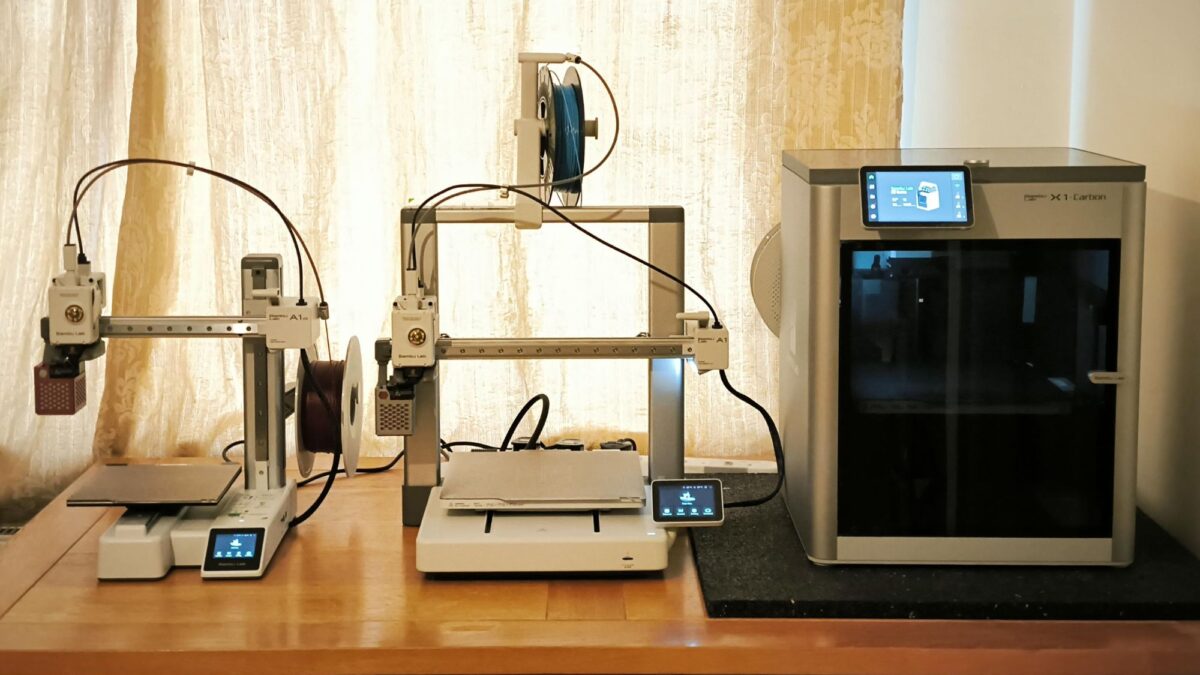
Best Overall for Families: Bambu Lab A1 Mini If you want a true “open box to first print” experience in under 30 minutes, this takes the lead. The A1 Mini arrives nearly pre-assembled, handles auto-leveling quietly, and syncs seamlessly with the Bambu Handy app. Kids can browse thousands of free, pre-sliced files on MakerWorld, tap print on a tablet, and watch a phone stand or custom keychain appear. The optional AMS Lite isn’t just for multicolor toys; it auto-loads filament and keeps prints running if one spool runs dry. It feels premium, yet stays forgiving enough for nervous first-timers.
For Teens Ready to Grow Into It: ELEGOO Centauri Carbon Once your kid masters PLA and starts sketching cosplay armor, drone parts, or school engineering models, this printer scales with them. The enclosed design safely contains heat and fumes, paving the way for stronger materials like ASA later on. Remote monitoring lets you check overnight prints from your phone instead of pacing the hallway. Turn off “Advanced Mode” in ElegooSlicer, and the default settings deliver tight tolerances straight out of the box. It’s a slightly higher upfront cost, but one that avoids next-year upgrades.
The Smart Budget Starter: Creality Ender 3 V3 SE Not every teenager sticks with 3D printing, and that’s perfectly fine. At $219, the V3 SE covers auto Z-offset calibration, direct-drive extrusion, and a 15-minute assembly. It relies on an SD card to teach the actual workflow—slicing, loading filament, and pressing go. Wi-Fi is convenient, but skipping it keeps the price down while building foundational maker skills. Buyers consistently report successful day-one prints, making it a low-risk way to test the hobby.
Designed Specifically for Younger Kids: Kidoodle MiniBox A1 For ages 8–12, this model trades complex menus for a colorful, tablet-like touchscreen. Preloaded sample models, automatic nozzle-parking when the door opens, and a one-tap workflow mean kids print without waiting for adult menu navigation. The compact 3.94″ build volume limits size, and applying a light glue stick layer becomes a quick ritual, but the barrier to entry drops to nearly zero. It’s less about pro specs, more about building early creative confidence.
Quick-Start Tips Before You Order
- Measure your actual desk space, not just the listed build volume. Spool holders, cables, and removal tools need breathing room.
- Place the printer on a sturdy, level surface away from curtains, bedding, or high-traffic walkways.
- Start exclusively with PLA filament. It’s odorless, sticks well, and is incredibly forgiving of beginner mistakes.
Final Thoughts
Whether you’re handing a confident teen their first design tool or giving a curious 10-year-old a safe, screen-free creative outlet, these machines remove the technical friction that usually kills the hobby at day one. They auto-level, prioritize physical safety, and deliver reliable prints so young makers can focus on designing, troubleshooting their own ideas, and actually enjoying the process. If you’re ready to turn that digital curiosity into hands-on creation, pick the model that fits your space and budget, load a spool of PLA, and watch their first print bring a room to life.