

Picture this: It’s 8:45 AM, you’re sprinting across campus with a half-empty iced coffee, and you realize your laptop has exactly 12% battery left. By 2 PM, you’re juggling three virtual machines for your OS class, and by midnight, you just want to unwind with a couple of rounds of Elden Ring—but your laptop sounds like it’s about to take off. If you’re a computer science student trying to balance heavy coding workloads with weekend gaming, finding one machine that actually survives campus life isn’t easy. Let’s fix that.
What Really Matters for a CS Student Who Codes and Games
Before we dive into the picks, let’s clear up the biggest myth in the dorms: buying a MacBook just because it looks good on a library table. While Macs are fantastic for creatives, Windows laptops usually give CS students more flexibility for building custom development environments, plus a much wider game library. If you’re serious about coding and gaming, here’s what you actually need:
- Memory is king: Ignore anything with 8 GB of RAM. 16 GB is the bare minimum for your sophomore year, but 32 GB is where you’ll breathe easy once Docker containers and VMs pile up.
- Keyboard feel matters: You’ll be typing thousands of lines of code daily. A mushy keyboard will ruin your flow and make late-night debugging sessions miserable.
- GPU & CPU balance: You need enough power for CUDA-based machine learning projects, but you don’t necessarily need an 18-inch desktop replacement that weighs as much as your textbooks.
1. The All-in-One Campus Warrior: Lenovo LOQ 15
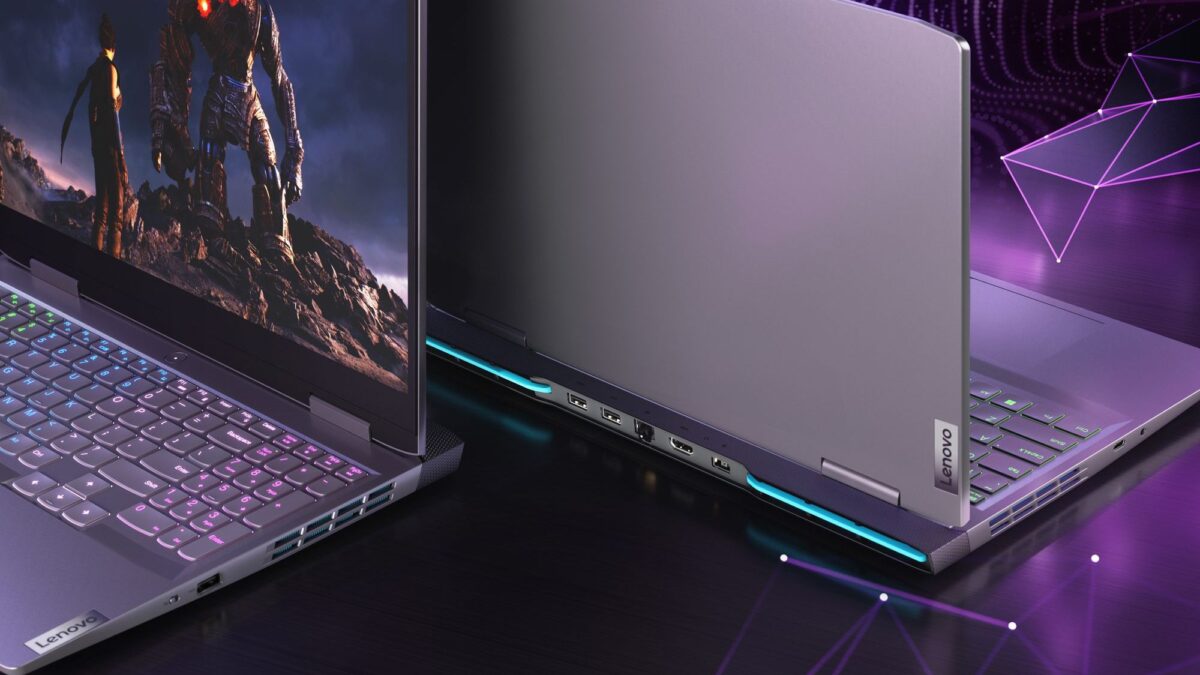 If you only want one laptop to survive Calculus 2, late-night coding marathons, and weekend Call of Duty lobbies, the Lenovo LOQ 15 ($1,299.99) is your safest bet. Powered by an RTX 5060, it handles machine learning training and modern AAA games without demanding a premium price tag.
- Why it works: The dedicated GPU means you won’t bottleneck when compiling heavy projects or dropping into high-FPS gaming sessions.
- The trade-off: It’s a typical gaming laptop at 5.3 pounds, and battery life hovers around 2.5 to 3.5 hours. You’ll need to hunt for outlets between lectures, but for raw power per dollar, it’s hard to beat.
2. The Lecture Hall MVP: Lenovo Yoga 7i 2-in-1 Aura Edition (14-inch Intel)
Not a morning person? If your 9 AM classes always find you rushing, the Lenovo Yoga 7i 2-in-1 Aura Edition ($1,229.99) is built for unplugged days.
- Why it works: AI-powered battery optimization keeps you running all day. With 16 GB of RAM and a Core Ultra 5 processor, it breezes through standard coding workloads, IDEs, and essay-length commits. The 2-in-1 form factor is also great for sketching out system architectures during study groups.
- The trade-off: It leans heavily on integrated graphics, so don’t expect to run Cyberpunk 2077 on ultra settings. It’s also a bit denser than it looks when carried in a backpack all day.
3. The Sleek macOS Choice: Apple MacBook Air (13-inch, M5, 2026)
If your professors and toolchain run smoothly on macOS, the MacBook Air M5 ($1,399 on sale) is still a campus favorite for a reason.
- Why it works: Up to 16 hours of battery life, completely silent operation (no fan noise echoing in the quiet study room!), and a featherlight 2.7-pound design. The M5 chip even handles light gaming surprisingly well—yes, even Resident Evil 4.
- The trade-off: Memory is soldered. Whatever you buy on day one is what you’re stuck with. Splurge on RAM now, or accept that heavy VM workloads might struggle by your final project.
4. The Future-Proof Tinkerer’s Dream: Framework Laptop 13 (AMD Ryzen AI 300 Series)
For students who refuse to be locked into a sealed chassis, the Framework Laptop 13 ($1,589) is a breath of fresh air in a world of soldered RAM.
- Why it works: You can literally upgrade the RAM yourself with the included screwdriver when junior year OS modules demand it. It weighs 2.9 pounds, lasts about 14 hours on a charge, and runs Linux flawlessly.
- The trade-off: You’re betting on Framework’s long-term parts availability, but the community has consistently proven they restock replacement modules when you need them.
What to Skip in 2026
- MacBook Neo: It looks cheap and tempting, but 8 GB of soldered RAM and a phone-class processor will choke on virtual machines. If you’re on a tight budget, look for a refurbished M3 MacBook Air instead.
- RTX 4050 / 3050 Laptops: GPU generations move fast, and buying a last-gen card now means you’re already falling behind by graduation.
- 18-inch Desktop Replacements & Ultra-Premium Brands: A $2,400 Razer Blade won’t compile your code any faster than the picks above, and it definitely won’t fit comfortably in your daily backpack.
Final Verdict
Choosing the right laptop for computer science isn’t about chasing the most expensive specs; it’s about matching your machine to your daily campus rhythm. Whether you need the raw gaming power of the Lenovo LOQ 15, the all-day stamina of the Yoga 7i, the silent elegance of the MacBook Air, or the limitless upgradability of the Framework, there’s a perfect match waiting for you. Don’t let a sluggish machine slow down your code—or your weekend raids. Grab one of these before your next semester kicks off, and finally experience a laptop that actually keeps up with your ambitions.