

Picture this: You’ve got three 4K angles on your timeline, a Magic Mask tracking a moving subject, and noise reduction nodes chewing up playback frames. You hit export and walk away for lunch, hoping the render doesn’t crash. If this sounds like your typical afternoon, picking the right Mac isn't just about specs—it's about survival.
Apple rebuilt its desktop lineup this August, bringing the M6 chip to the Mac mini and unleashing the M5 Ultra in the Mac Studio. But with prices ranging from $899 to a staggering $5,499, which machine actually deserves your money?
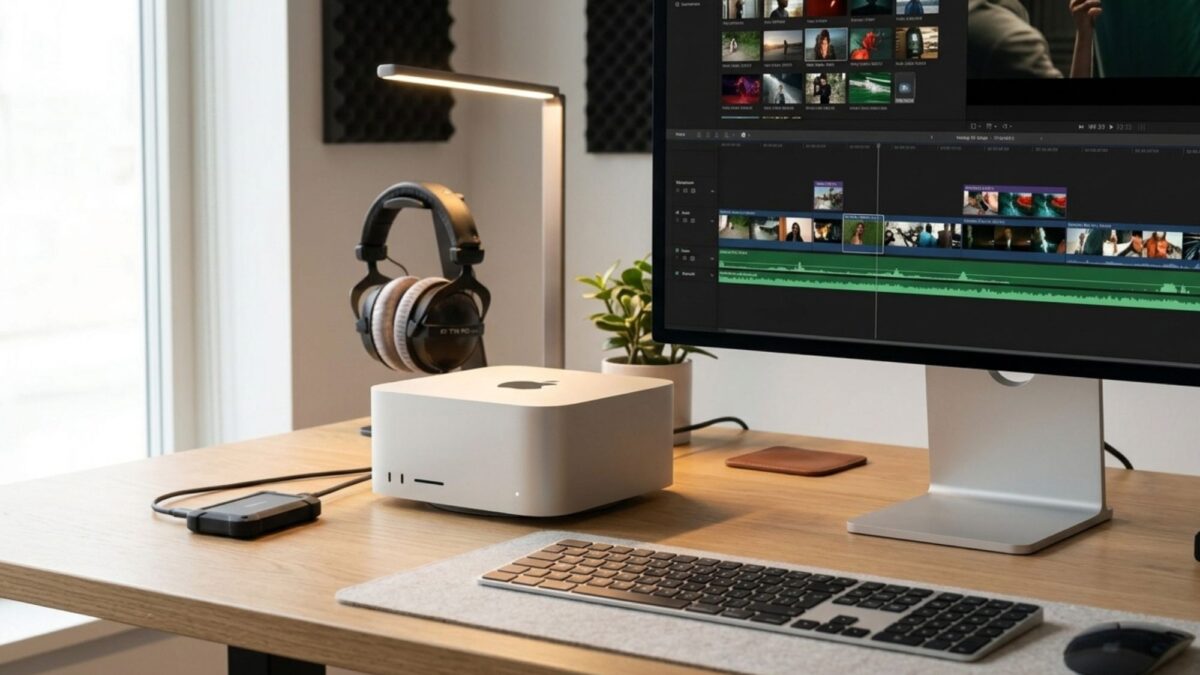
🏆 Best Macs for Video Editing: Top Picks by Workflow
Not every editor needs an $80-core GPU. Here’s how the new lineup breaks down for real-world editing.
1. Mac Mini M6 ($899) – Best for 1080p & Light 4K in Final Cut Pro If you’re handling two-camera 4K interviews with light grading, the Mac mini M6 is the cheapest Mac worth handing to a working editor.
- Why it works: It comes with 170 GB/s memory bandwidth and up to 32 GB of unified memory.
- The catch: 16 GB is standard, which sounds fine until you stack noise reduction nodes in DaVinci Resolve and hit the ceiling. Upgrade to 32 GB if you can.
- Best for: Solo creators, FCP editors, and those who don't need sustained heavy rendering.
2. Mac Mini M5 Pro ($1,699) – Best for Multicam 4K in Premiere Pro Same sleek aluminum, but a completely different beast inside. With up to 64 GB of RAM and 307 GB/s bandwidth, this is the Premiere Pro desktop I’d actually buy.
- Why it works: Handles four-stream 4K multicam smoothly. Includes three Thunderbolt 5 ports—perfect for RAID enclosures.
- The catch: Long exports will make the fans loud and clocks drop slightly. If you render for hours daily, look at the Studio.
3. Mac Studio M5 Max ($2,499) – Best for Resolve Color Grading & Magic Mask For 4K/6K color work in DaVinci Resolve, this is my personal pick. The M5 Max’s up-to-40-core GPU runs 50% faster than last year, and Magic Mask is up to 3x faster than the M4 Max.
- Why it works: 614 GB/s bandwidth and up to 128 GB of memory mean no more proxy headaches. Includes 10 Gb Ethernet and six Thunderbolt 5 ports.
- Pro tip: You’ll miss the SD card reader, so budget for a good dongle or card reader on the front.
4. Mac Studio M5 Ultra ($5,499) – Best for 8K ProRes RAW Finishing Does an 8K ProRes RAW timeline play without proxies? Yes. Up to 33 streams at 30 fps, thanks to a Media Engine with double the encode/decode blocks of the M5 Max.
- Why it works: 36-core CPU, 80-core GPU, and up to 512 GB of RAM. For high-end finishing, this ends the argument.
- Note: The 512 GB config won’t ship until late October.
5. MacBook Pro 14-inch (M5 Pro/Max) – Best for Cutting on Location Need to edit away from your desk? The 14-inch MacBook Pro with M5 Pro delivers 25% more multicore performance than the M4 Pro.
- Why it works: A full setup that travels with you. Step up to the M5 Max to get that second media engine, cutting export times in half.
⚙️ What Actually Matters for Video Editors?
When you’re staring at spec sheets, here’s the secret Apple doesn’t shout about: Media Engines decide your export times, not core counts.
- Media Engines are king: The M6 has one encode/decode pair; the M5 Max has two; the M5 Ultra has four. Buying a higher tier often throws in an extra media engine, which is the single biggest change to your export speed.
- Memory Bandwidth vs. Streams: The M6’s 170 GB/s is fine for one or two streams, but the M5 Max’s 614 GB/s gives you breathing room when stacking effects and grades.
- Cooling is everything: Run a 40-minute render on a small enclosure, and heat becomes the enemy. The Mac Studio’s larger chassis handles sustained workloads without throttling.
- Storage advice: Skip Apple’s pricey internal SSD upgrades. A fast NVMe drive in a Thunderbolt 5 enclosure gives you massive storage for a fraction of the cost. Just keep your boot drive a third empty for macOS scratch space.
💡 Final Verdict: Which Mac Should You Buy?
If you’re editing 1080p or lightly graded 4K for social, the Mac Mini M6 at $899 is all you need. For serious multicam work in Premiere, the Mac Mini M5 Pro offers the best bang for your buck at $1,699.
But if you live in DaVinci Resolve, color grade in 6K, or rely on Magic Mask to save your timeline, the Mac Studio M5 Max is the sweet spot. It balances power, bandwidth, and price in a way no other machine does right now. And for the 8K finishers? The M5 Ultra is simply in a league of its own.
Whichever you choose, your timeline is about to get a whole lot smoother. Ready to upgrade your edit bay?