

You’ve probably been there. It’s past midnight, your desk is cluttered with open browser tabs comparing sensor sizes and megapixels, and you’re one click away from buying a $300 “4K streaming camera.” Before you do, let’s pause. The hard truth about streaming isn’t about your webcam—it’s about your consistency, your audio, and whether you have a decent key light pointed at your face. In reality, a facecam on a typical Twitch stream takes up a tiny corner of the screen. At that scale, flawless 4K is just marketing noise. A reliable 1080p feed paired with proper lighting will consistently outperform premium gear shot in a dim room. If you’re building your beginner streamer setup for the first time, here’s what actually moves the needle.
What Your First Streaming Camera Really Needs
The search for the best webcam for twitch streaming often gets derailed by dense spec sheets. But experienced creators know success comes down to three practical pillars: • Realistic Resolution Needs: A 1080p stream at 60fps looks sharp in a picture-in-picture layout. Pushing 4K simply eats bandwidth and CPU cycles without visible gains in a small overlay window. • Software That Remembers: You shouldn’t have to rebuild your exposure, contrast, or white balance after every Windows update. On-camera memory for settings is a massive quality-of-life upgrade. • Plug-and-Play Stability: As a new streamer, you want gear that syncs with OBS out of the box so you can focus on your content, not troubleshooting driver conflicts.
The Unbeatable Starter: Elgato Facecam Neo
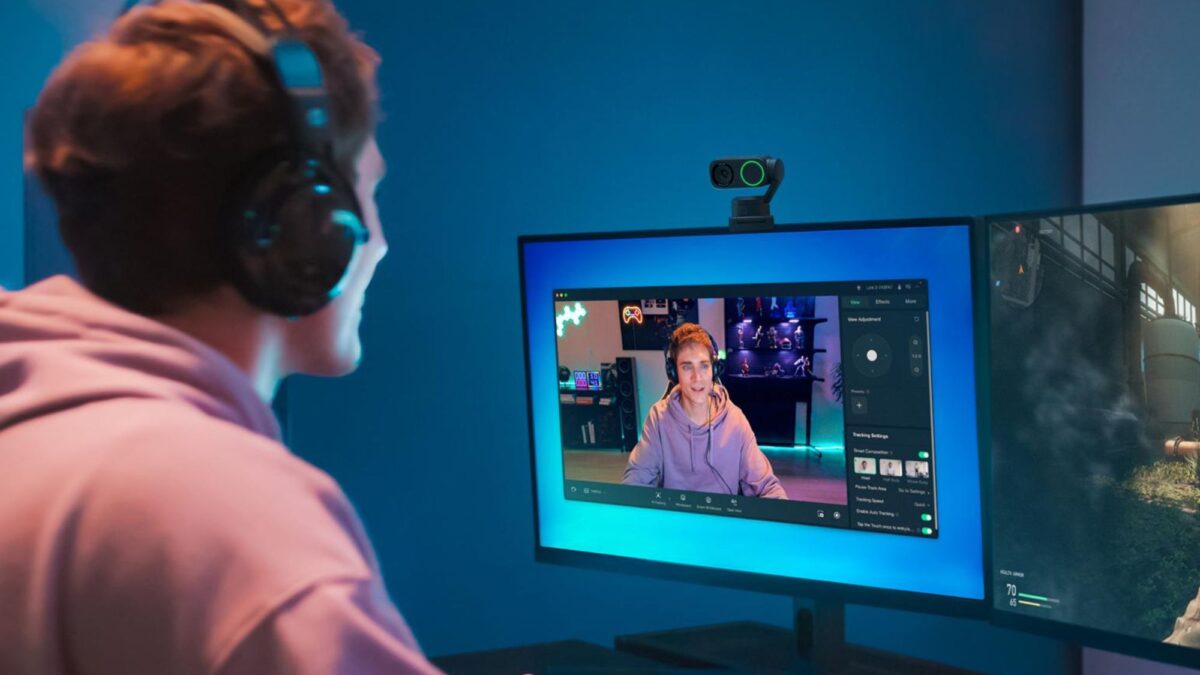 If you’re still figuring out whether streaming is your long-term passion, the Elgato Facecam Neo (currently priced at $59.99) is arguably the most logical buy on the market. It delivers smooth 1080p at 60fps with dependable autofocus, and it includes a physical privacy shutter—a small feature until you realize you’ll use it between every broadcast instead of fumbling with sticky notes.
What truly separates the Neo from budget competitors is the Camera Hub software. You get real-time control over ISO, shutter speed, and white balance, and here’s the detail that wins you back: your custom profiles save directly to the camera’s internal chip. Reinstall your OS? Switch laptops? Bring it to a co-streamer’s studio? Your exact look travels with you.
- Smart trade-off note: The HDR mode excellently balances blown-out windows, but it locks you to 30fps. For fast-paced gameplay, leave it off unless backlighting becomes distracting.
- Quick fix: The hardwired USB-C cable runs short for full-sized desktops, but a basic extension cable sorts it instantly. Dial the focus to “Fixed” in the software to prevent hunting during energetic sessions.
The Polished Step-Up: Elgato Facecam MK.2
If you’ve survived your first few dozen broadcasts, your viewer count is slowly climbing, and you want that extra layer of visual polish, the Elgato Facecam MK.2 ($129.99) is the natural next step. The color science shifts toward a warmer, slightly cinematic tone that naturally flatters skin tones under standard LED panels. It uses a fixed-focus lens, which ensures razor-sharp consistency as long as you maintain a steady sitting distance. Integration with OBS and Streamlabs is seamless, and all your tuned parameters stay embedded in the device. Just ensure it’s plugged into a USB 3.0 port for completely uninterrupted power delivery.
Flexibility Meets Quality: Insta360 Link 2C
For creators who rotate between gaming, Just Chatting segments, desk crafts, or light tutorials, the Insta360 Link 2C ($119.99) bridges the gap between a rigid webcam and a compact studio camera. Built around a larger 1/2-inch sensor and an F1.8 aperture, it gathers significantly more ambient light, meaning your image stays clean and noise-free even when you lower the room lights for evening streams. • Effortless AI Framing: Auto-tracking keeps you centered in the shot without the desk footprint of a motorized gimbal. • Voice-First Audio Processing: Built-in noise suppression actively dulls mechanical keyboard clatter and mouse clicks while keeping your commentary crisp. • VOD-Ready 4K Capture: Record high-resolution local footage for YouTube highlights, while your live broadcast runs at a stable 1080p. If you frequently shift positions or stream in unevenly lit spaces, the 2C’s adaptive exposure and rapid autofocus handle transitions smoothly.
Quick-Start Advice Before You Checkout
Here’s a realistic roadmap for your first 30 streams: grab the Facecam Neo, take the cash you’d otherwise spend on a flagship lens, and invest in a simple LED key light. Pair it with an entry-level dynamic microphone. Spend your initial broadcasts discovering your on-camera voice and testing which interactions actually keep viewers engaged. By stream number 40, you’ll know precisely what deserves an upgrade—and it usually isn’t the camera.
Whether you’re launching your very first Twitch channel or replacing a washed-out laptop lens, these picks strip away the spec-sheet hype and focus on what actually retains an audience: consistent framing, balanced lighting, and reliable software. Start lean, prioritize your setup environment, and hit “Go Live” without second-guessing your gear. Your ideal viewers are already browsing categories—give them a reason to stop scrolling.