

We’ve all been there: leaning a little too close to a standard 32-inch screen just to make out tiny UI text, or watching fast-paced games blur into a jagged mess because the panel simply can’t translate motion smoothly. You crave a workspace sharp enough for professional color grading and heavy multi-window productivity, but you also refuse to give up buttery-smooth framerates when the weekend rolls around. Buying two separate displays eats up desk space, drains your budget, and leaves you constantly alt-tabbing between completely different setups. That exact friction is precisely what the Samsung Odyssey G8 G80HS is trying to erase, and after living with the specs, it’s clear Samsung isn’t just chasing a milestone—they’re rebuilding how power users approach a single screen.
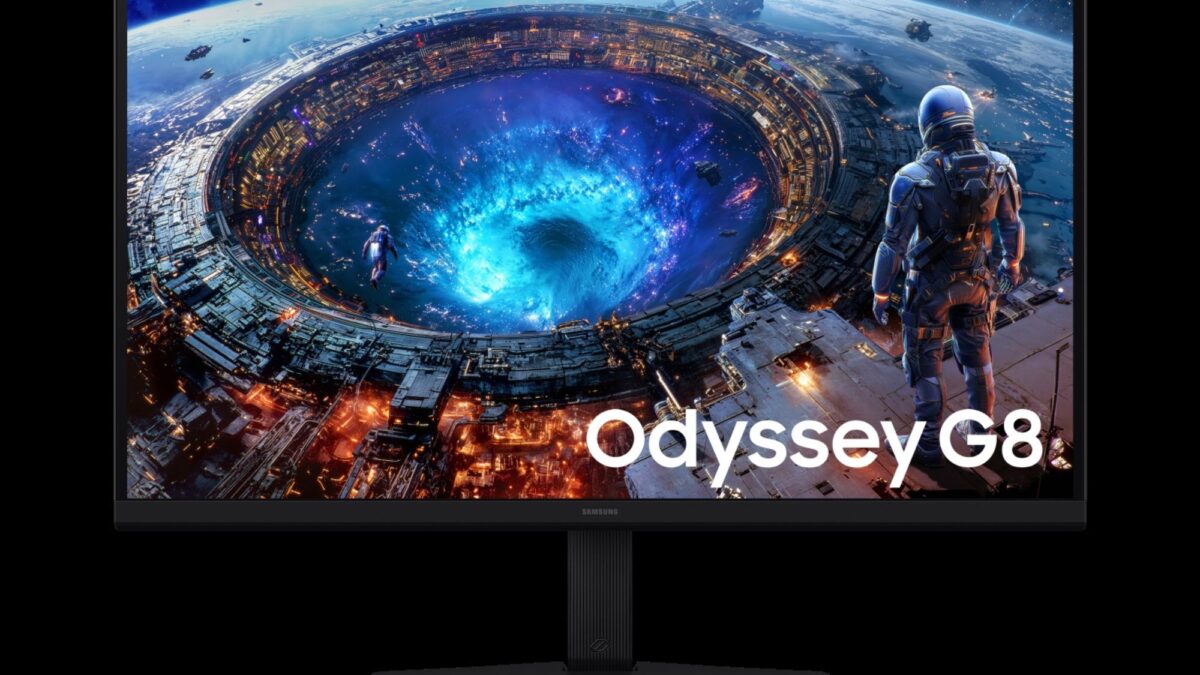
The 6K Leap That Actually Changes Daily Workflows
Let’s cut through the marketing noise and look at the actual experience. Packing a 6144 × 3456 resolution into a 32-inch IPS panel pushes the pixel density to a staggering 218 PPI. In plain English, your entire desktop looks like it’s printed on polished glass. If you’re a video editor working with 4K raw footage, this means you can play back full-resolution timelines while still keeping your editing panels, scopes, and export previews fully visible without shrinking everything into microscopic icons. Designers get pixel-perfect anti-aliasing right out of the box, and programmers can finally read dense code blocks without straining their eyes. It’s not just a spec bump; it’s a genuine workspace multiplier.
Dual Mode: One Screen, Two Distinct Personalities
Here’s where the G80HS gets genuinely clever. Let’s be realistic: almost no current GPU rig can sustain 6K at a competitive framerate in heavy AAA titles. Instead of forcing you to pick between resolution or speed, Samsung engineered a seamless Dual Mode toggle. Flip to 6K at 165Hz when you’re deep in creative work, watching media, or exploring visually rich single-player RPGs. When you’re ready to drop into a competitive lobby, one click switches the panel to 3K at a blistering 330Hz.
Why this flexibility actually matters on your desk:
- Native Clarity for Creators: Run 4K/6K timelines, CAD layouts, or multi-app dashboards without perceptible scaling artifacts.
- Instant Competitive Switching: Drop to 3K/330Hz for esports titles where frame tracking and input latency matter more than raw resolution.
- Future-Proof Connectivity: DisplayPort 2.1 bandwidth keeps you ready for next-gen graphics cards without bottlenecking your signal chain.
- Universal Adaptive Sync: AMD FreeSync and NVIDIA G-Sync compatibility ensure tear-free gameplay regardless of your GPU choice.
The Hardware Reality Check You Need to Hear
No premium monitor is flawless, and honest buyers deserve the full picture. At $1,549, the G80HS relies on a standard edge-lit IPS backlight rather than mini-LED or OLED. IPS panels have grown incredibly vibrant, but you won’t get the inky, OLED-level contrast or the surgical local dimming zones found in flagship HDR displays. The HDR10+ Gaming implementation handles real-time dynamic tone mapping well for everyday content, but cinematic HDR seekers might notice it lacks the deep peak brightness required for true dark-room immersion.
There’s also the GPU reality to consider. Pushing modern engines at 6K/165Hz demands serious hardware investment. Most users will naturally lean on Dual Mode for fast-paced titles, turning the headline resolution into a premium workspace tool rather than an everyday gaming driver. Mac users should also proceed with caution; Apple’s scaling routines with third-party high-PPI panels still require occasional system tweaks to feel perfectly native.
Who Should Actually Make the Jump?
If you’re a content creator, CAD professional, or a power user who genuinely values screen real estate over everything else, the G8 G80HS feels remarkably close to an endgame display. It delivers on its boldest promise—pixel-perfect clarity—while offering a genuinely useful performance buffer for weekend gaming. For strict competitive players or budget-conscious buyers, the price-to-spec ratio might feel steep.
But if your daily routine demands a desk that refuses to compromise on sharpness, and you want a panel that actually scales with your workflow instead of holding it back, the leap to 6K finally makes sense. Clear the clutter, upgrade your visual workspace, and step into a monitor that proves Samsung didn’t just build a new resolution—they built a smarter way to use it.