

We’ve all been there. You’re sitting in a crowded café, trying to run a massive 70B parameter language model on your laptop, but the fans spin up like a jet engine and the battery drains in under an hour. You just want to iterate on your code or generate a video offline, without pushing proprietary data to the cloud or waiting for server queues. The dream of true local AI has always hit a wall of memory limits and software compatibility. But what if your next laptop could actually handle heavy model training on the go? Enter the clash of the titans: the Microsoft Surface Laptop Ultra and the Apple MacBook Pro with M5 Pro. Both promise power, but only one speaks fluent AI natively. Let’s dive in and see which one truly belongs in your backpack.
Why Local AI and CUDA Actually Matter
Let’s be honest: most of us don’t need a supercomputer to check emails. But for developers, data scientists, and AI tinkerers, running models locally is a game of privacy and speed. With the Surface Laptop Ultra, Microsoft isn't just offering another Windows laptop; it's positioning itself as the go-to machine for offline AI.
The killer feature here is CUDA support paired with up to 128 GB of unified memory. While Apple’s M5 Pro stops at 64 GB, the Surface opens the door to running massive 120-billion-parameter models right on your desk. No token limits, no API costs, and your sensitive contracts never leave your local storage.
- Offline Model Training: Perfect for strict NDAs or when Wi-Fi is spotty.
- Massive Memory Capacity: Run 120B+ parameter models without the dreaded out-of-memory crashes.
- Speed That Counts: Microsoft claims a 2.1x time-to-first-token advantage, meaning your local AI responds faster when you're feeding it a full codebase.
Everyday Power: Apps, Battery, and the Windows on Arm Factor
Of course, you won’t be prompting AI models 24/7. For the rest of the workday—compiling code, juggling 40 browser tabs, and rendering timelines—the MacBook Pro with M5 Pro plays a strong hand. Apple’s focus on single-core CPU speed means snappy app launches and seamless multitasking.
However, the Surface brings its own daily driver perks, especially with Windows on Arm. While emulation software like Prism has come a long way, native support is key. If you’re a developer targeting Arm, having this hardware on your desk is invaluable. Plus, the battery efficiency on the MacBook is hard to beat (up to 14 hours of web browsing), but Microsoft’s “all-day” claim with sustained performance is tempting for those long coding sprints away from a wall outlet.
A Display and Ports Setup That Actually Makes Sense
When you’re editing video or reviewing complex code, screen real estate is everything. The Surface Laptop Ultra’s 15-inch touch screen hits 2,000 nits peak HDR, making it incredibly bright for outdoor work. While Apple’s Liquid Retina XDR is a masterpiece of sustained brightness (1,000 nits across the whole panel), the Surface's larger 15-inch panel feels like a better natural fit for timelines and split-screen coding.
And let’s talk about the port life. We all hate dongles.
- Surface Laptop Ultra: Three USB-C ports, a full-size USB-A (finally!), HDMI, and an SD reader. It’s a creator’s dream out of the box.
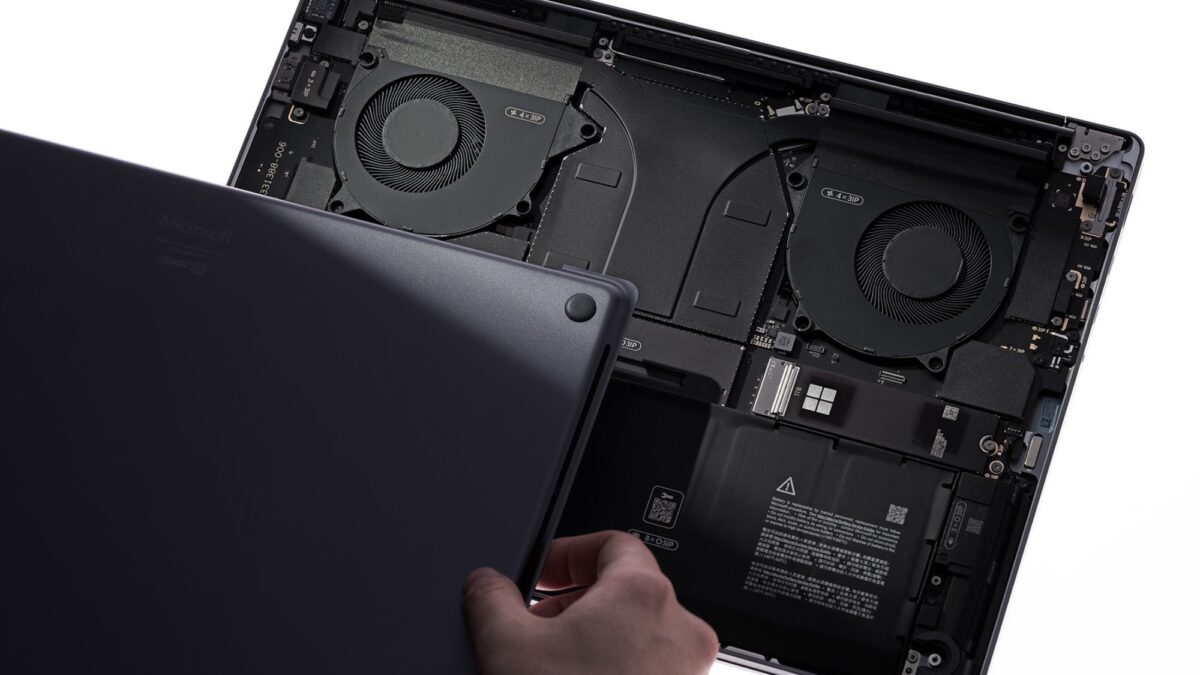
- MacBook Pro M5 Pro: MagSafe 3 keeps one port free, and three Thunderbolt 5 ports deliver blistering 120 Gb/s transfer speeds. Bonus points to Microsoft for repairability: you can swap the SSD yourself and order parts directly. Apple keeps everything soldered, which means a trip to the Genius Bar if something goes wrong three years down the line.
Gaming on the Go: It’s Not Just for Work
Even if your gaming life revolves around mobile titles, the Surface Laptop Ultra catches your eye. Microsoft promises hundreds of PC games, including Call of Duty, running smoothly with DLSS and Reflex on a 120 Hz screen. Apple’s M5 Pro boasts a 1.6x jump in ray tracing for Cyberpunk 2077, but for raw, plug-and-play PC gaming compatibility without tinkering, the Surface takes the win.
At the end of the day, choosing between these two machines comes down to your actual workflow. If you’re a heavy video editor, a creative who lives in the macOS ecosystem, or someone who prioritizes unmatched battery life and seamless app stability, the MacBook Pro with M5 Pro is the safer, everyday champion. But if you’re building the future of AI, need to run massive models locally without relying on the cloud, or want a highly repairable, port-rich laptop that doubles as a gaming rig, the Surface Laptop Ultra is the specialty tool you’ve been waiting for. Stop compromising on your AI dreams—grab the Surface Laptop Ultra if CUDA is your lifeline, and watch your local models run like never before.