

Imagine this: you’re sitting in a bustling café, laptop bag open, ready to tackle a week’s worth of projects. You’re upgrading your tech stack, but your eyes land on two nearly identical machines from Microsoft. Both boast the blazing-fast Snapdragon X2 chip, both rock that crisp 3:2 display, and both scream premium quality. But one folds away like magic, while the other feels like a trusted, solid companion right out of the box. The Surface Pro (12th Edition) versus Surface Laptop (8th Edition) isn’t just a spec war; it’s a lifestyle choice between ultimate flexibility and dependable power. Let’s untangle this Copilot+ PC dilemma so you can walk away with the machine that actually fits your day.
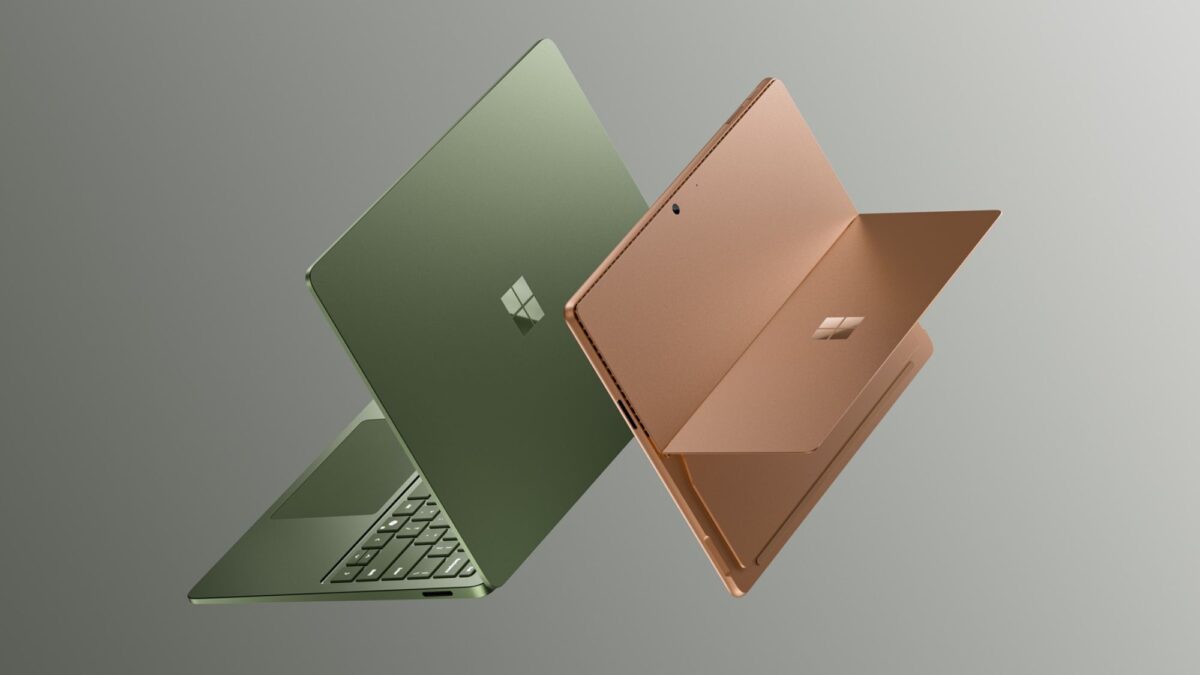
Form Factor: Tablet Freedom vs. Clamshell Reliability
The most obvious split comes down to how you hold your gear. The Surface Pro is a shapeshifter. Need to present? Detach the screen. Want to sketch on the train? Snap on the Slim Pen and go. It transforms from a heavy-duty laptop to a featherlight tablet in seconds. The Surface Laptop, however, is the master of stability. Its hinge holds firm on your lap, and the keyboard deck never wobbles.
- Surface Pro Shine: Best for creatives and travelers who need a device that shrinks down in a bag. The 2-in-1 design lets you consume content on a couch or annotate PDFs while standing.
- Surface Laptop Strength: The king of "open and work." No kickstands to fumble with, no accessories to buy immediately. Just a sleek, finished machine that feels ready the moment you lift the lid.
The Real Math: Out-of-Box Value vs. Hidden Costs
Sticker prices can be tricky, and this is where many shoppers trip up. The Surface Pro starts at $1,499, which looks tempting until you realize you still need a keyboard to type. Adding the Flex Keyboard runs another $170 to $360, pushing the real price well above the competition. The Surface Laptop opens at $1,599, but that includes the keyboard and doubles the base storage to 512 GB. For most users, the Laptop offers a much better "grab-and-go" value.
Display Dreams: OLED Pop vs. Crisp LCDs
If your work lives in color, pay attention here. The Surface Pro offers an optional OLED panel that brings deeper blacks and vibrant contrast—perfect for photo editing or grading video. The Surface Laptop sticks with LCD across the board, though the 15-inch model has sharpened significantly to 262 PPI.
- Go Pro if: You’re a visual creative who demands accurate color and true blacks in a portable slate.
- Go Laptop if: You’re living in spreadsheets and documents; the sharpness is more than enough for text-heavy workflows.
Stamina: All-Day Battery Heroes
There’s no contest for the endurance lovers. The Surface Laptop claims an impressive 20 hours on the smaller model and 19 on the larger one, easily outlasting a full day of meetings and streaming. The Surface Pro hits a solid 15.5 hours, which is great for a tablet, but requires you to pack the charger for longer hauls.
Who Should Buy Which?
Your choice boils down to your daily rhythm.
- Pick the Surface Pro 12 if you’re a digital artist, a field engineer sketching on-site, or a frequent flyer who values a device that weighs almost nothing in tablet mode. It’s for those who need their tech to bend to their whims. Watch the full Surface Pro review
- Pick the Surface Laptop 8 if you want a complete, reliable workhorse without accessory headaches. It’s the smarter buy for writers, developers, and analysts who just want more storage, a bigger screen choice, and a battery that won’t quit before 5 PM.
Both machines are absolute powerhouses under the hood. The Surface Laptop offers the better overall package for the price, delivering a finished machine that just works. But if you crave the versatility of a tablet and the magic of pen input, the Surface Pro remains the creative’s dream. Match the form factor to your workflow, and you’ll boost your productivity from day one.