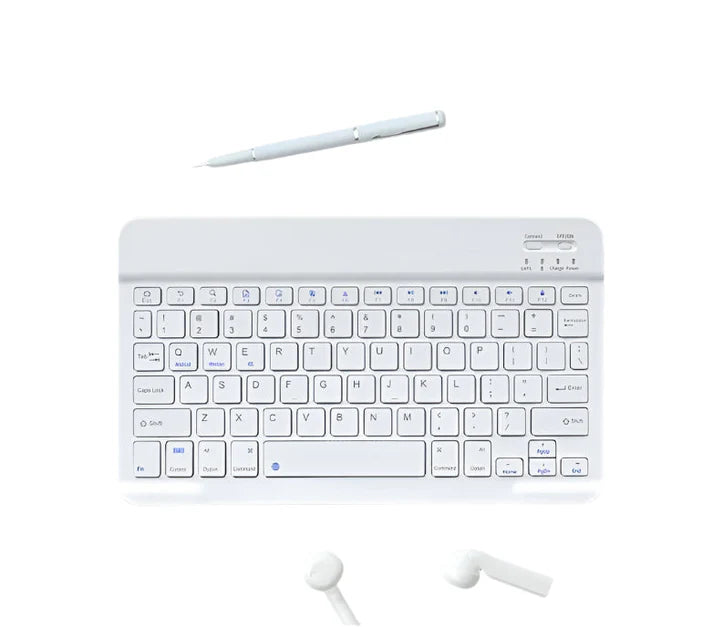


Ultra-Slim Wireless Bluetooth Keyboard
Ultra-Slim Wireless Bluetooth Keyboard
Searching C Singapore
Couldn't load pickup availability
Product Features
Flexible Wireless Design
Enjoy a clutter-free workspace with a wireless setup that allows you to work comfortably anywhere.
Wide Compatibility
Compatible with multiple devices including tablets, smartphones, and laptops.
Supports both Mac and Windows systems.
Long Battery Life
Equipped with a high-efficiency battery for extended usage and reduced charging frequency.
Comfortable Typing Experience
Ergonomic keycap design provides responsive feedback and comfort, even during long typing sessions.
Lightweight & Portable
Slim and lightweight design makes it easy to carry—perfect for travel or work on the go.
Additional Highlights
- Multi-device connectivity, supports all systems
- Minimalist classic color design
- Smooth and comfortable typing feel
- Reinforced port design for enhanced durability and longer lifespan
- Suitable for both work and entertainment
🔗 Bluetooth Connection Guide:
To pair the Bluetooth keyboard with your device:
1. Turn on your device (computer/tablet)
2. Enable Bluetooth
On Windows: Right-click “Start” → Settings → Bluetooth & Devices → Turn Bluetooth ON
3. Prepare the keyboard:
a. Power on the keyboard
b. Press the “Connect” or “Pairing” button to enter pairing mode
4. Search for the keyboard:
a. Select “Add Bluetooth or other device” → Bluetooth
b. Choose “Bluetooth Keyboard” from the list
5. Complete pairing
Follow on-screen instructions to finish setup
💡 If pairing fails, ensure the keyboard has sufficient battery and is within range.